Description
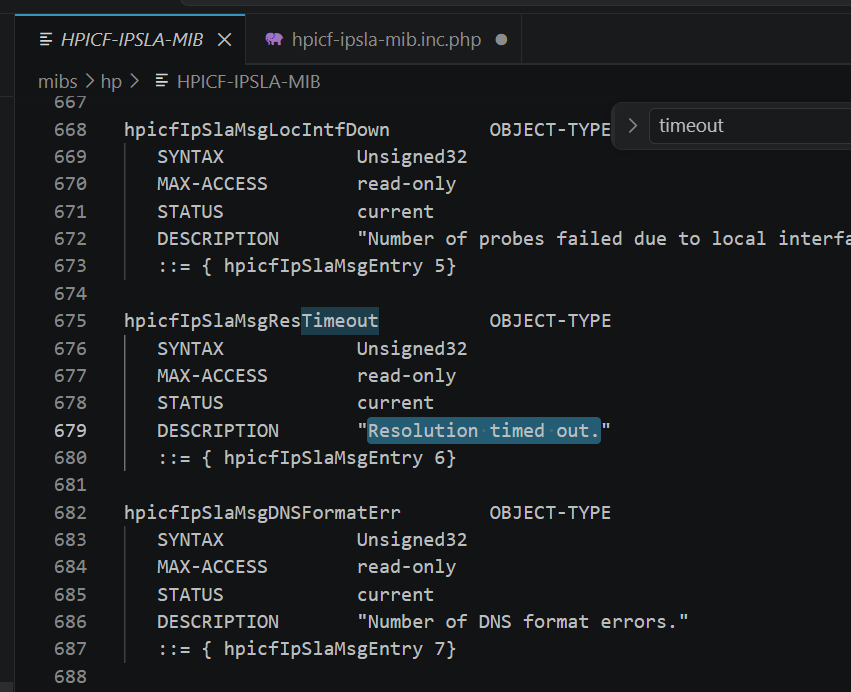
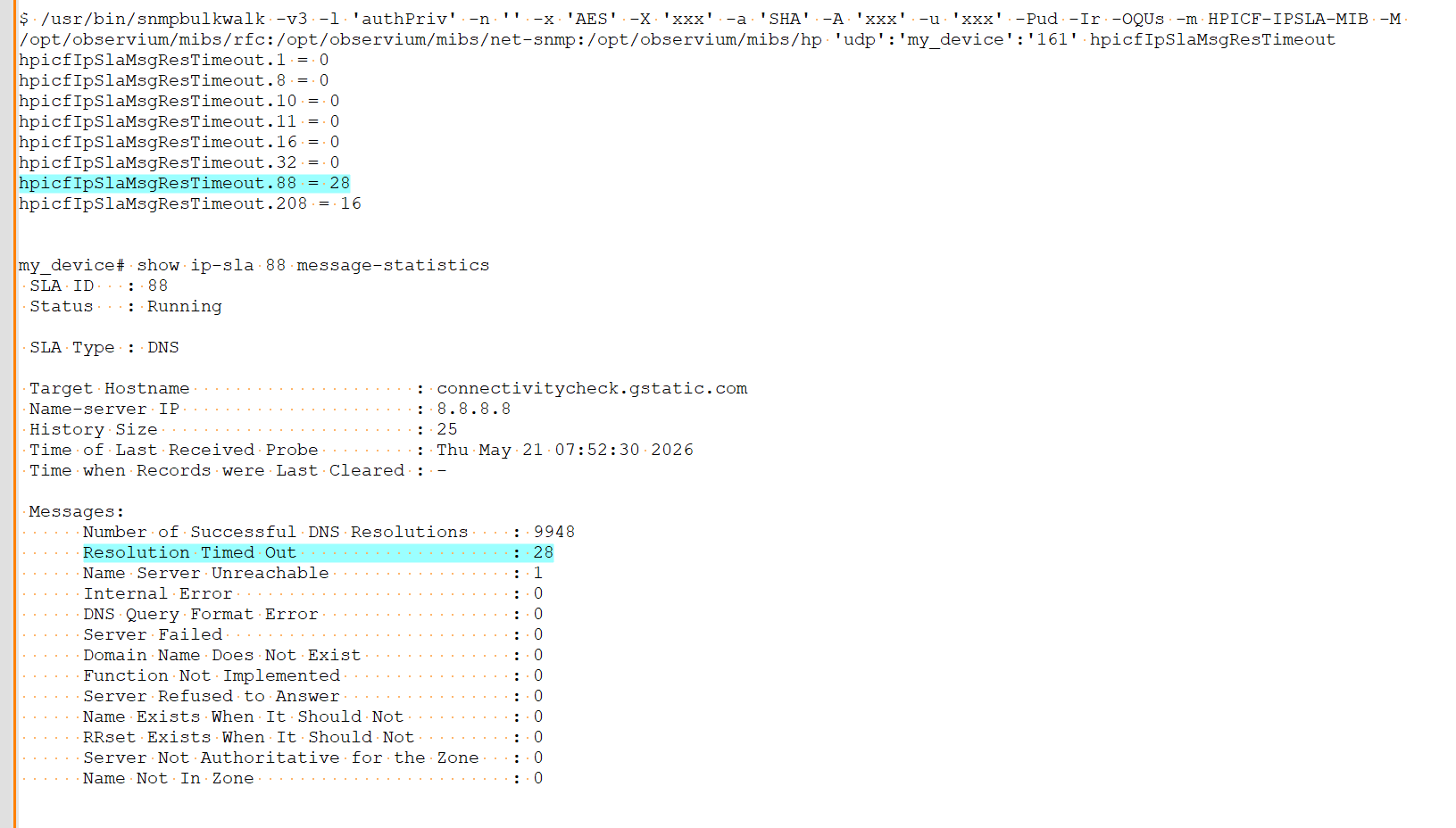
On an HP Device (Tested on a HPE JL261A Switch 2930F-24G-PoE+-4SFP running HPE ProCurve WC.16.11.0016) with HPICF-IPSLA-MIB, using a DNS SLA, the object hpicfIpSlaMsgResTimeout returns a count of the number of times the DNS query has had a resolution timeout.
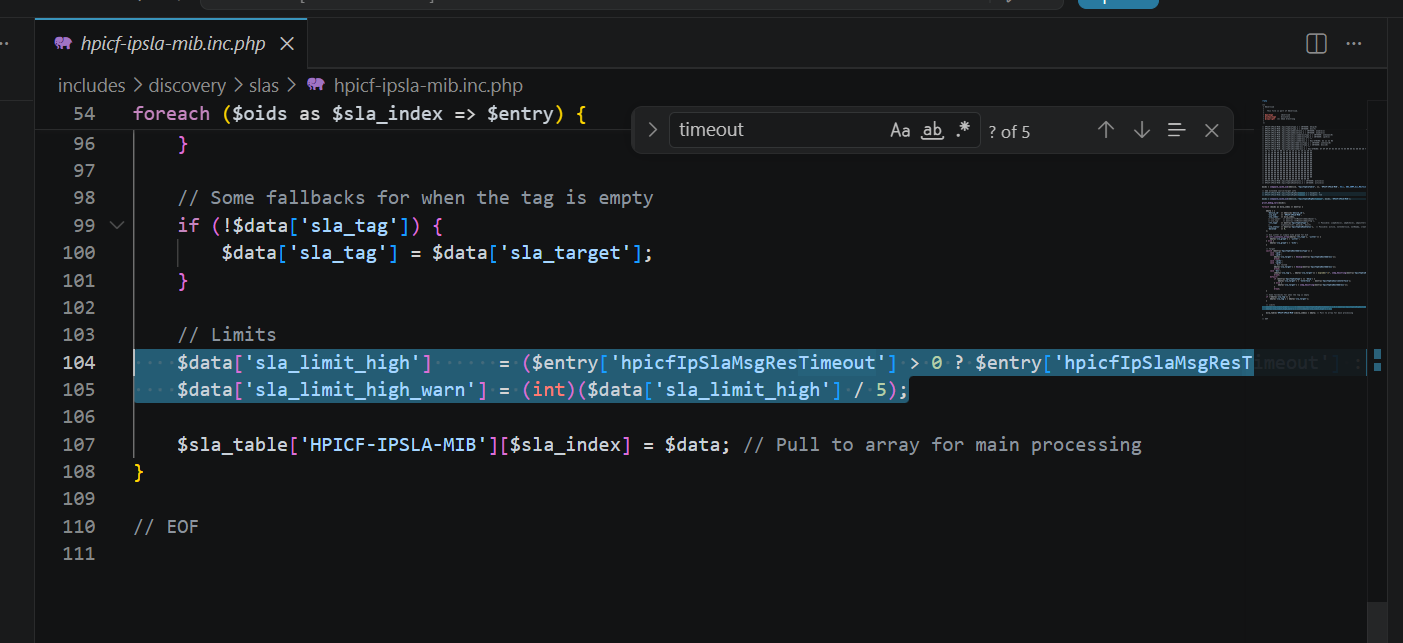
The includes/discovery/slas/hpicf-ipsla-mib.inc.php file incorrectly uses this value as the sla_limit_high value, which is not correct. HP AOS devices do not appear to supply appropriate values for sla_limit_high, or sla_limit_high_warn, so observium should simply fall back to reasonable defaults (I think the system defaults to 5000, and 1000 respectivly)
Offending Lines in includes/discovery/slas/hpicf-ipsla-mib.inc.php (Lines 104-105):
$data['sla_limit_high'] = ($entry['hpicfIpSlaMsgResTimeout'] > 0 ? $entry['hpicfIpSlaMsgResTimeout'] : 5000); $data['sla_limit_high_warn'] = (int)($data['sla_limit_high'] / 5);
I belive the fix is to simply remove those two lines.
Without this fix, the sla shows in a warn or alert state even when the connection is OK, becasue the RTT time exceeds the low count of DNS resolution timeout errors.
Attachments

Issue Links
- mentions
-
OBS-3056 Aruba OS IP-SLA support
-

- Closed
-